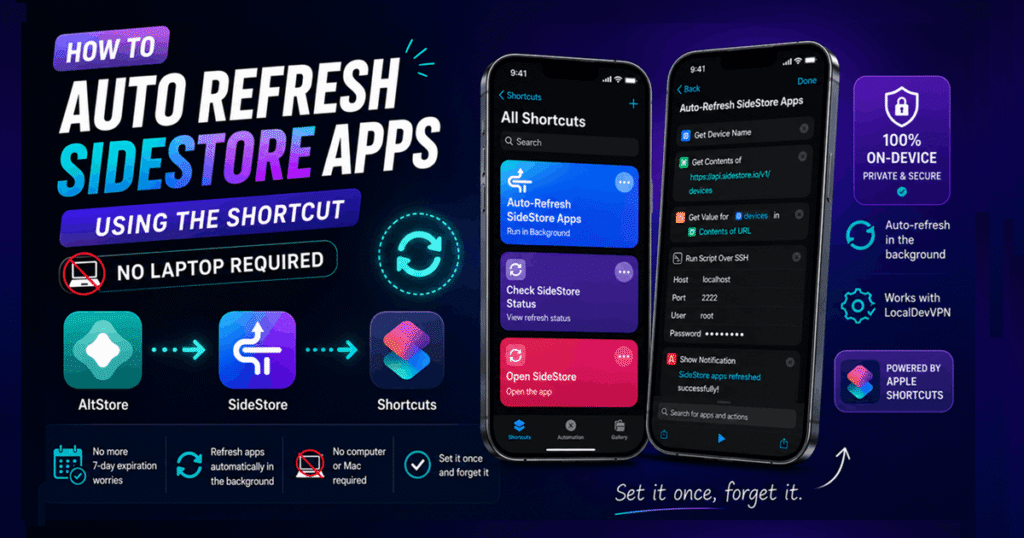
How to Auto Refresh SideStore Apps (3 Easy Steps)
If you're using SideStore on your iPhone, you know that apps need to be refreshed every 7 days to keep them working. Forgetting to refresh can cause your sideloaded apps to expire.
The good news? You can auto refresh sidestore app using Apple's Shortcuts apps—no laptop, no manual reminders, and no repeated taps.inforiver
Table of Contents
ToggleWhy Automate SideStore Refresh?
- ✅ No more 7-day expiration worries
- ✅ Refresh apps automatically in the background
- ✅ No computer or Mac required
- ✅ Set it once and forget it
Requirements to setup Auto Refresh SideStore Apps
Before getting started, make sure you have:
- SideStore installed and working
- The LocalDevVPN configured
- Apple’s Shortcuts app
Step 1 — Setup SideStore - Refresh All Apps
- Open the Shortcuts app.
- Create a new shortcut.
- Add the SideStore – Refresh All Apps action.
- Create a Personal Automation (such as when your iPhone is charging or at a specific time).
- Select your refresh shortcut.
- Disable Ask Before Running and enable Run Immediately.

Step 2 — Download my "Refresh SideStore" shortcut
- Click Here to download the readymade shortcut.
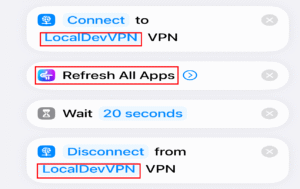
- Make sure these 3 things are aligned in shortcut in the following way:
- “Connect” to “LocalDevVPN” VPN
- Refresh All Apps
- “Disconnect” from “LocalDevVPN” VPN
- Check image for reference.
Step 3 — Create Personal Automation
- Open the Shortcuts app.
- Tap on Automation & select (+).
- Add Personal Automation. (such as at a specific time)
- Choose Time of Day (Set 4:00 AM), Repeat Weekly (choose “Tue” & “Fri“) & enable “Run Immediately”.
- Click Next & Select “Refresh SideStore” shortcut, which you have downloaded in Step – 2
- ✅Done
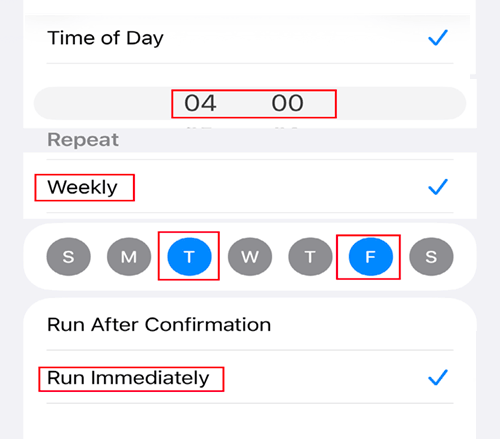
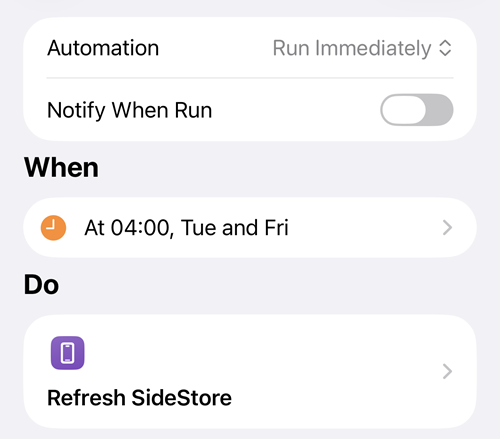
And that’s all there is to it! From now on, every Tuesday and Friday at 4:00 AM, while you’re peacefully sleeping, your iPhone will take care of refreshing your SideStore apps on its own. Forget about countdowns, missed refreshes, or expired apps—automation does all the work, so you can simply enjoy using your favorite sideloaded apps.
Great content! Keep up the good work!
Thank you !